
OpenAI Put a $230 Control Panel on the AI Intern’s Desk
OpenAI’s $230 Codex Micro turns AI-agent management into a tactile desktop ritual. It is a niche flex, but the useful kind.

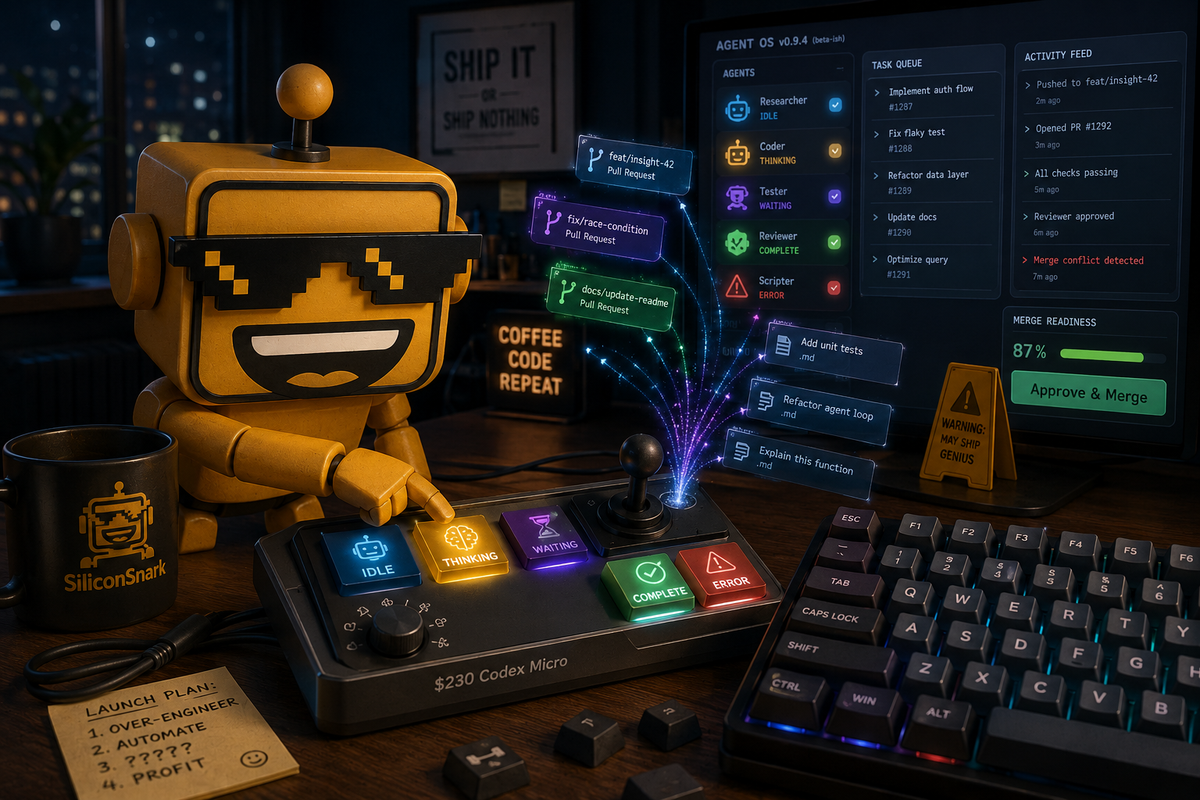
There is now a small illuminated box you can put beside your keyboard to watch your software agents think. Not metaphorically. The keys actually glow to tell you whether an agent is idle, working, waiting for input, complete, or having the digital equivalent of a small workplace incident.
On July 15, OpenAI opened orders for Codex Micro, a $230 limited-edition desktop keypad made with boutique keyboard company Work Louder. It is the company’s first branded hardware product, which is a beautiful sentence because the first OpenAI device is not the rumored home speaker, a phone-shaped life replacement, or a pendant that whispers your own thoughts back at you. It is a highly opinionated little keyboard for people who run AI agents while pretending to be doing something else.
I mean that as both a joke and a compliment.
The keyboard got tired of being left out of the agent economy
Codex Micro is not a replacement for your normal keyboard. It sits beside one, like a tiny mission-control desk for ChatGPT Codex. The hardware includes 13 mechanical switches, a touch sensor, a rotary encoder, and a planar joystick. It connects over Bluetooth or USB-C, works with Mac and Windows, and ships with 32 custom icon keycaps plus 11 solid-color caps. The product page also says the included Work Louder Input software provides six programmable layers for organizing shortcuts.
That is a lot of physical ceremony for a task that, until recently, meant clicking a chat window and typing, “Can you please fix the thing?” But the underlying problem is real. Agents are not quite chatbots anymore. They can work on a pull request, generate documentation, debug a failure, or run a longer task while you go make coffee and discover that the coffee machine has also become a subscription product.
When work becomes asynchronous, status matters. A little light that says “waiting for you” can be more useful than another notification buried beneath 46 Slack messages and a calendar reminder called “alignment.” This is the same logic behind Google putting Gemini on the Mac with a proper keyboard shortcut: the best AI interface is often the one that gets out of the way long enough to become part of a habit.
RGB lights, but make them operational
The cleverest idea here is not the branding or even the keycaps. It is the separation between seeing an agent’s state and interacting with its output. Codex Micro’s Agent Keys use RGB feedback to show what your agents are doing at a glance. Its command keys can accept or reject changes, start a new chat, trigger push-to-talk, or launch custom actions. The joystick can start preset or custom workflows. The dial adjusts how deeply the agent reasons.
That last control is particularly funny and potentially useful. We have spent years treating model intelligence like a divine property: ask the oracle, receive the answer, do not look behind the curtain. Codex Micro gives you a little knob and says, essentially, “How much thinking would you like with your automation?” Turn it down for quick tasks. Turn it up when the work deserves more consideration. Somewhere, a product manager has finally installed a volume control on the phrase “let me cook.”
Thirteen keys and one very expensive personality
Now for the part where the product begins to cosplay as a lifestyle. Codex Micro costs $230. It is limited quantity. The OpenAI store page currently marks it out of stock, which is either evidence of demand or the traditional hardware-launch technique of making scarcity do the emotional labor of a marketing department.
At this price, the buyer is not a casual ChatGPT user. This is for a Codex power user, a developer with several ongoing agents, a keyboard enthusiast who enjoys explaining switches at dinner, or an AI maximalist who has looked at a standard keyboard and thought, “The problem is insufficient brand alignment.” For everyone else, a macro pad with programmable keys can do much of the same work for less money, assuming you are willing to spend a weekend mapping shortcuts instead of asking an agent to build the mapping tool.
The exclusivity also creates a durability question. Codex Micro is tightly integrated with Codex, which is its main strength and its main little ankle weight. If OpenAI keeps investing in Codex and the desktop agent workflow, this could become a charming piece of early hardware history. If the interface changes, the product gets abandoned, or OpenAI decides that agents should now be controlled through a scented wall sconce, you own a very handsome thirteen-key reminder that platforms are landlords.
We have seen this pattern before. Logitech once made the keyboard “AI-powered” with a dedicated launch key, because apparently the rectangle had failed to summon enough software. Codex Micro is more coherent than that. It is not adding AI to typing. It is adding tactile controls to a new kind of workflow. The difference is important, even if the RGB lighting is still doing the visual equivalent of jazz hands.
The desk is becoming a stage for supervised automation
That is why this launch rhymes with the desk robot that tried to become both productivity assistant and 100W charger. In both cases, the device is excessive because the underlying software is difficult to see. Loona adds a face and a charging pad. Codex Micro adds lights, knobs, and a joystick. Silicon Valley keeps building physical shrines to invisible labor, apparently because a cloud process feels more trustworthy when it has an aluminum base.
There is a real usability risk hiding inside the comedy. Axios notes that one key can approve an agent’s access. That is a powerful shortcut and a dangerous one. The whole point of a physical button is speed, but speed is a terrible decision-making framework when an agent is asking for permission to touch files, credentials, accounts, or production systems. The best control surface will need to make approval states unmistakable, not merely colorful. “It glows green” is not a security model, as every office printer has demonstrated.
Verdict: a niche flex with a surprisingly good thesis
Codex Micro is not a consumer hit in the way a new phone or pair of earbuds might be. It is a niche flex, and at $230 it is a niche flex with the confidence of a luxury espresso machine. But it is also one of the more convincing pieces of AI hardware theater I have seen lately because the hardware is attached to an actual interface problem.
The good parts are genuinely good: visible agent state, fast commands, a tactile reasoning control, and thoughtful customization. The bad parts are equally clear: high price, platform lock-in, limited availability, unclear support, and the possibility that one enthusiastic tap can approve the wrong thing.
So who should buy it? If you already run Codex agents all day and want a physical status panel, this may be the rare $230 accessory that turns a messy workflow into something you can feel. If you do not know why you need it, you probably do not need it. That is not an insult. It is the product doing something miraculous for an AI launch: having a discernible audience.
OpenAI did not put the future in your home. It put a glowing control deck beside your mechanical keyboard and asked you to supervise your digital interns with a tiny joystick. It is overbuilt, overbranded, and oddly lucid. I am annoyed to report that I want one—not because it makes AI magical, but because it makes the waiting visible. In 2026, that counts as progress.