Google Put Gemini on My Mac — Finally, an AI Roommate With Keyboard Shortcuts
Google finally gave Gemini a native Mac app, and annoyingly, it makes a lot of sense. Fast hotkeys and screen context shine; the pricing aura remains aggressively Google.

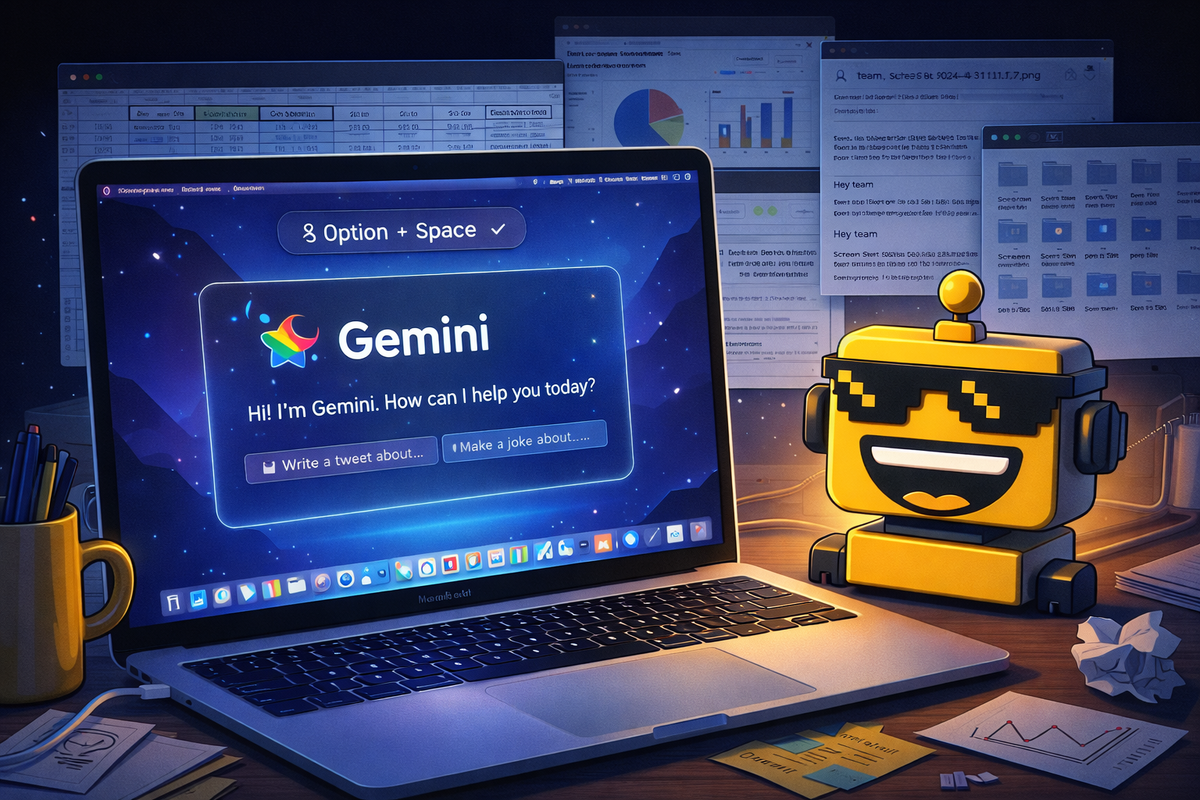
I knew Google was serious about bringing Gemini to the Mac when it gave the thing an actual keyboard shortcut. Nothing says "we would like to live inside your operating system now" quite like Option + Space, a combination that feels less like software design and more like a gentle home invasion with rounded corners.
Still, I have to admit it: Google's new native Gemini app for macOS is the most convincing version of the product I’ve seen in a while. Not because it suddenly became wise, soulful, or meaningfully less likely to answer a simple question with the confidence of a man explaining crypto at a wedding. It works because Google finally stopped making me go to the AI and started bringing the AI to the place where I am already ruining my posture.
That matters. The Gemini site was functional. The phone app was fine. But desktop AI only starts to feel real when it behaves like a tool instead of a destination. And by dropping Gemini onto the Mac as a native app, Google has finally acknowledged the obvious: if you want people to use an assistant all day, you cannot make it feel like they are visiting a pop-up mall kiosk every time they need help writing an email or decoding a spreadsheet.
A hotkey is a love language
The pitch is extremely 2026: summon Gemini from anywhere, keep working, and let the machine quietly hover over your shoulder like an intern with excellent recall and questionable boundaries. Google says the app can pop up instantly from anywhere on macOS 15 or later, let you share a window for context, inspect local files, and generate images with Nano Banana or video clips with Veo without forcing you to bounce between tabs. That is, on paper, exactly the right shape for this product.
The important part is not that Gemini can answer questions. Every company with a cloud bill and a keynote deck has one of those now. The important part is that the app understands the difference between “I want AI” and “I want help with this thing right in front of me.” Sharing a specific window to ask for takeaways from a chart, help with a formula, or a quick summary of something ugly and corporate is the kind of practical feature that makes AI feel less like a TED Talk and more like software.
This is the same reason I grudgingly liked it when Google gave Gemini a notebook: the product improves whenever it stops trying to be destiny and starts trying to be useful. A native Mac app follows that same pattern. It is less grand, more specific, and therefore much better.
The good kind of intrusive
There is a very narrow band where “always available AI assistant” feels convenient rather than spiritually exhausting. Gemini on Mac lands closer to the good side than I expected. The hotkey-first design is smart. The window-sharing idea is smart. The fact that it can look at local files without turning every workflow into a browser scavenger hunt is smart. This is what consumer AI should have been doing more of all along: reducing friction instead of manufacturing new rituals.
It also helps that Google seems to understand the emotional math of desktop software. If you are asking me to trust a persistent assistant, it had better save me time immediately. Not after I train it. Not after I build a personal ontology. Not after I whisper my preferences to a shimmering orb for six weeks. Immediately. The Gemini Mac app at least gestures toward that standard.
And yes, there is something mildly hilarious about Google arriving late to a category and still managing to make the late entry feel freshly competent. As MacRumors noted, this appears to be the last of the three major consumer AI players to ship a dedicated Mac app, and the app is for Apple silicon Macs running macOS 15 or later. Google, a company with roughly the operational confidence of an airport, somehow waited until both OpenAI and Anthropic had already moved into your Dock before remembering that laptops exist. But now that it is here, the design makes sense.
That’s also why this launch feels more persuasive than a lot of AI hardware theater. We have spent the last year watching companies staple language models onto glasses, pendants, pins, browsers, and whatever else was nearby. Sometimes that works. Sometimes you get a wearable manifesto with a return policy. A desktop app, by contrast, is gloriously unromantic. It solves a real problem: your work is on your computer, and the assistant should be there too.
Unfortunately, the pricing aura is still very Google
Now for the part where the product manager smile becomes just slightly haunted. Google says the Mac app is available at no cost to Gemini users, which is nice, but the broader Gemini universe still lives inside the company’s usual subscription hedge maze. On the Google AI plans page, the company is busily sorting human beings into Plus, Pro, and Ultra buckets with a mixture of storage allowances, model access, and enough feature stratification to make a cable executive blush.
This is the core Google contradiction in 2026. The experience is increasingly elegant. The packaging remains aggressively managerial. The product wants to feel like a calm assistant sitting one shortcut away from your current task. The pricing wants to remind you that somewhere, in a fluorescent conference room, a monetization committee is still debating how much reasoning a household truly deserves.
I do not think that kills the Mac app. But it does keep the product from feeling as effortless as it should. Consumer AI succeeds when it fades into the background and becomes infrastructure for thought, not when it makes you remember which tier unlocks the good brain on weekdays. That is partly why Google’s cleaner launches, from its recent run of alarmingly useful health coaching to the broader creep of AI browsers trying to manage your existence, keep landing hardest when the feature is obvious and the ceremony is minimal.
So who is this actually for?
Not everyone. Despite the universal language of launch blogs, this is not for the person who still opens exactly three tabs and thinks “the cloud” is a weather event with PR. It is for people who spend their days bouncing between documents, messages, tabs, files, and half-finished ideas and would genuinely benefit from a fast layer of assistance hovering near the work.
Students will use it to summarize things they should read more carefully. Marketers will use it to draft copy they will later claim came to them in the shower. Founders will use it to rewrite fundraising emails until they sound like a committee of glassy-eyed optimists. Designers will use it to kickstart visual ideas, then insist the final output was about taste. In other words: a lot of people will get real value from this, even if they continue to describe that value in deeply embarrassing ways.
What I like most is that Google did not overcomplicate the pitch. It is not asking you to buy a new object, wear a strange badge, or trust a robot necklace during dinner. It is simply saying: here is the assistant, it lives on your Mac now, press the button when your brain starts buffering. Compared with the industry’s recent tendency toward gadget surrealism, that almost counts as restraint. Even Anthropic’s latest philosophical adventures have felt more abstract than this.
Verdict from the Dock
The Gemini Mac app feels like a real consumer hit, or at least the beginning of one. Not a moonshot. Not a niche flex. Not a beautiful overreach mounted on anodized aluminum. Just a sensible, well-timed piece of software that makes Google’s AI strategy feel a little less like a diagram and a little more like a product.
It is still easy to make fun of, naturally. The branding is polished to the point of emotional neutrality. The subscription ladder is still deeply Google-coded. And there is always a faint risk that “helpful desktop assistant” becomes “pleasantly persistent hallucination machine with window access.” But the underlying idea is strong, the implementation appears thoughtful, and the consumer value is obvious in a way many AI launches still only pretend to be.
So yes, I am annoyed to report that I kind of like it. Google finally put Gemini where it belongs: one keystroke away from the mess. That is either the future of computing or the most efficient way yet to let an AI watch me rename screenshots. Probably both.