
VibeNVR Is Not VR, It Is a Self-Hosted Camera Stack With Swagger
VibeNVR is a free, open-source, self-hosted NVR for IP cameras, with modern UI, hardware acceleration, privacy controls, AI detection, MQTT, and local recordings.

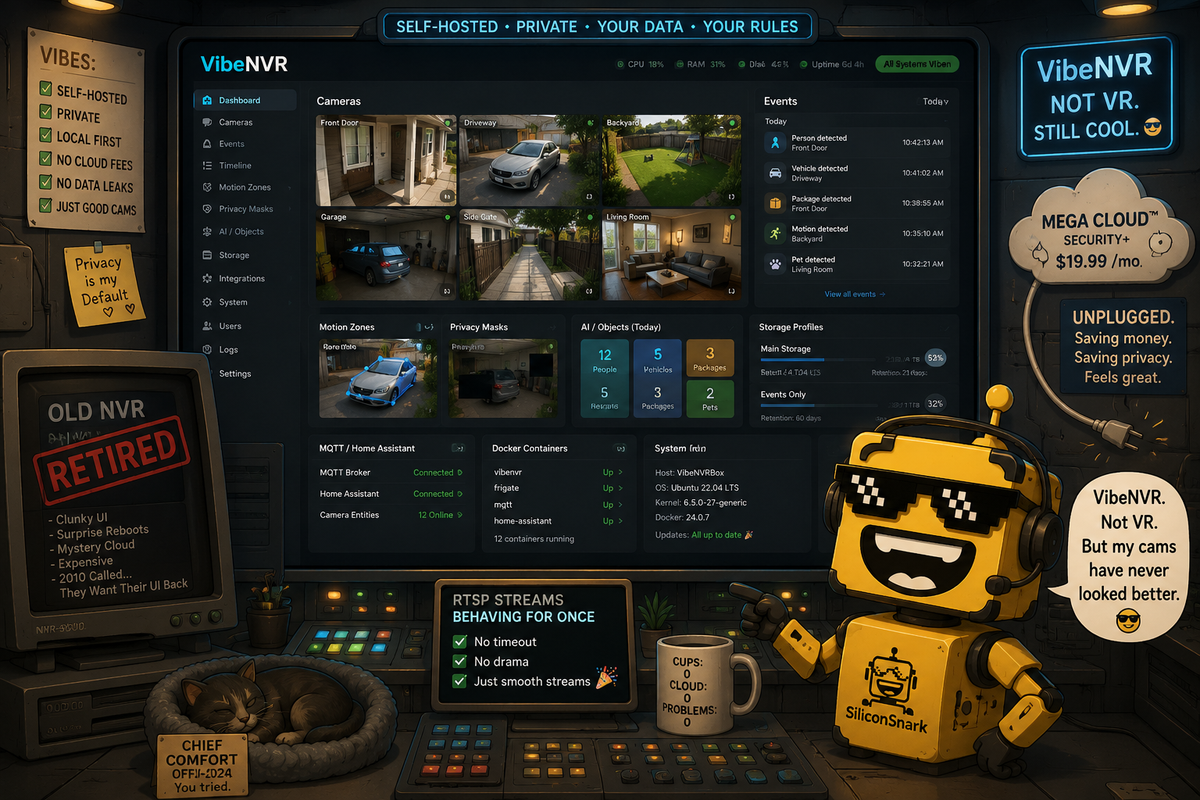
The Reddit founder series has finally reached a product whose name made me confidently expect virtual reality and then handed me a self-hosted surveillance system. This is how you know the internet still has range.
The product is VibeNVR, a modern, open-source network video recorder for IP cameras. Not Vibe VR. Vibe NVR. The missing space is doing Olympic-level misdirection. But once you stop looking for a headset and start reading the docs, the project gets very interesting very quickly.
VibeNVR is a containerized video surveillance stack for managing cameras, recordings, motion detection, and a unified event timeline. Its GitHub README describes a React interface, a custom Python video engine using PyAV and FFmpeg, Docker deployment, RTSP and ONVIF support, WebCodecs streaming, passthrough recording, role-based access, two-factor auth, privacy masking, Home Assistant and MQTT integration, AI object detection, storage cleanup, backups, camera groups, hardware acceleration, and enough feature bullets to make a normal security-camera vendor quietly adjust its collar.
Security camera software has been aesthetically trapped since 2009
Let us be honest: a lot of NVR software looks like it was designed inside a windowless equipment room by someone who believed gray was a lifestyle. Surveillance interfaces have historically combined the charm of airport CCTV, the elegance of printer firmware, and the emotional range of a file explorer that has seen too much.
That is why VibeNVR's positioning as "modern video surveillance" matters. The actual feature set is serious, but the first emotional hook is simpler: can this category please stop looking like a municipal utility screen from a crime procedural?
The project appears to understand that a modern NVR is not just a pile of camera feeds. It needs a usable event timeline, low-latency live views, motion and object filtering, sane storage profiles, notifications, access control, home automation integration, and enough performance tuning that a modest server does not start sounding like it is trying to achieve orbit.
The vibe coding origin is both funny and kind of impressive
VibeNVR's README says the project is a vibe-coding project, with extensive testing performed and community contributions welcome. We have written a lot about the chaotic evolution of vibe coding, and this is one of the more amusing outcomes: not a landing page, not a toy app, not a weekend CRUD board, but a full self-hosted NVR with hardware acceleration, ONVIF PTZ, AI detection, MQTT, storage management, and release notes that look like someone has been living inside RTSP edge cases for months.
That matters because "vibe coded" can mean anything from "I made a calculator" to "I outsourced architectural judgment to a model and now the login flow is haunted." VibeNVR is trying to be the better version: AI-assisted velocity plus open-source iteration plus community scrutiny plus actual infrastructure pain. There is a world of difference between "the model produced code" and "the project survived cameras, codecs, recordings, streams, storage limits, permissions, and users with weird hardware."
This is also why it sits nicely beside Playmix from the Reddit series. Playmix used vibe coding logic to make games more accessible. VibeNVR uses the same cultural moment to attack a deeply practical self-hosting category. One turns prompts into browser games. The other turns cameras into a local surveillance stack. Both are signs that "vibe coding" is escaping the novelty zone and wandering into places where uptime has opinions.
The self-hosted angle is the whole moral center
Video surveillance is one of those categories where cloud convenience and privacy tension are always arm wrestling. Cloud cameras are easy, but the footage is sensitive by default. Your driveway, hallway, shop floor, storage room, office entrance, or back gate is not generic telemetry. It is your life and property rendered into timestamped video.
VibeNVR's self-hosted, local-first posture is therefore not just a hobbyist preference. It is the product's reason to exist. The README emphasizes no cloud required, Docker deployment, local recordings, role-based access control, 2FA, trusted devices, API tokens, path sanitization, authenticated media, privacy masking, and anonymous telemetry that can be disabled. That is exactly where an open-source NVR should lean.
The privacy masking feature is especially important. A black-out zone burned into recordings is not glamorous, but it is the kind of detail that separates "we record everything because we can" from "we understand that cameras see more than the user intends." Surveillance products should be opinionated about minimization. If your camera catches the neighbor's window, a public sidewalk, a staff break area, or a private corner of a shop, the software should help you not be careless.
The hardware and codec work is where the pain lives
The GitHub feature list gets beautifully nerdy. Direct stream copy for near-zero CPU usage. Dynamic memory optimization. RTSP transport selection. Secure RTSP certificate handling. Dual-stream support so lightweight dashboard grids use low-res streams while main streams serve recording. ONVIF edge motion offload. WebCodecs H.264 low-latency WebSocket streaming with adaptive JPEG fallback. Native AAC recording and G.711 live streaming. Hardware acceleration across NVIDIA, Intel, and AMD.
This is not the cute part of the product. This is the part where NVRs become real or fall over. Camera ecosystems are chaos in metal housings. Every device has its own firmware moods, stream quirks, ONVIF compliance interpretation, TLS weirdness, motion event behavior, and habit of failing at exactly the least narratively convenient time. Building a pleasant NVR interface is one challenge. Making it speak fluent camera nonsense is the bigger one.
VibeNVR's docs even call out adaptive RTSP retry logic and dynamic zero-buffer memory optimization, which is the kind of phrase that tells you the developer has met actual cameras and returned changed.
Home Assistant people will understand the assignment immediately
VibeNVR includes MQTT integration, Home Assistant discovery, motion sensors, AI metadata publishing, API widgets, and a Homepage dashboard integration. That is a smart audience. Self-hosting and home automation users already understand the appeal of local control, Docker stacks, dashboards, and not paying a camera vendor a monthly fee to look at your own porch.
This puts VibeNVR near the same practical infrastructure lane as Epitech's Integrator, which solved a boring operational workflow without trying to become fashionable, and AppFlight, which turned a painful developer process into a preflight checklist. VibeNVR is doing that for cameras: pull the streams together, make events navigable, keep storage sane, and expose integrations without turning the user into a subscription hostage.
Also, the public telemetry dashboard is a nice touch if handled carefully. The README says VibeNVR collects anonymous technical data such as app version, rounded hardware profile, number of cameras and events, detection engines, operating system, random installation ID, and feature flags, with no addresses, credentials, or tokens, and that telemetry can be disabled. For an open-source project, that kind of visibility can help development while still giving users control. As usual, the boring privacy toggle is where civilization hangs by a thread.
One gentle critique: make the beginner path brutally simple
My main critique is gentle because I am clearly having a good time: VibeNVR needs to keep the beginner path extremely simple. The feature list is impressive, but it is also the size of a small weather system. A newcomer who just wants to record three cameras and review motion clips should not have to understand every acronym before getting a useful setup.
The docs already have a Docker quick start, `.env` guidance, and production notes. Good. I would keep pushing toward a "first successful night" path: one camera, one recording profile, one storage folder, one timeline, one notification, one clear privacy mask, one update checklist. Then let advanced users descend into ONVIF PTZ, WebCodecs, MQTT, dual streams, telemetry, hardware acceleration, and the rest of the glorious machinery.
The other critique is naming. VibeNVR is fun, but it will absolutely lure in a few people looking for VR. Maybe that is a feature. Maybe those people will leave with a Dockerized camera stack and a new personality.
Verdict: surprisingly serious, extremely nerdy, and a lot of fun
My verdict is very positive: VibeNVR is much more substantial than the name initially suggests. It is a free, open-source, self-hosted NVR with a serious feature set, active development energy, and the kind of practical camera-stack pain awareness that cannot be faked from a landing page.
The product is not for everyone. Some people want a cloud camera app that works in three taps and emails them a renewal notice forever. Fine. But for self-hosters, small operators, Home Assistant users, privacy-conscious households, workshops, and anyone who wants camera footage to stay local without tolerating fossilized NVR software, VibeNVR looks like a project worth watching.
The funniest part is that this may be one of the purest "vibe coding got serious" examples in the series. A name that sounds like a headset app. A product that is actually a local surveillance stack. A README full of camera hardware edge cases. A modern UI wrapped around the old pain of "why did that RTSP stream die again?" It is absurd. It is practical. It is exactly the kind of weird internet project that makes this series worth doing.
VibeNVR did not bring me VR. It brought me something better: a self-hosted camera system with enough swagger to make NVR software seem briefly charming. That is not a small achievement. That is surveillance software learning to smile without uploading your footage to someone else's cloud.