Turtle Beach Put a Touchscreen on a $200 Controller. Naturally, It Has Opinions.
Turtle Beach’s $199.99 Stealth Ultra II adds a touchscreen, TMR sticks, 8K polling, and a charge-through case. It is excessive. It is also smart.

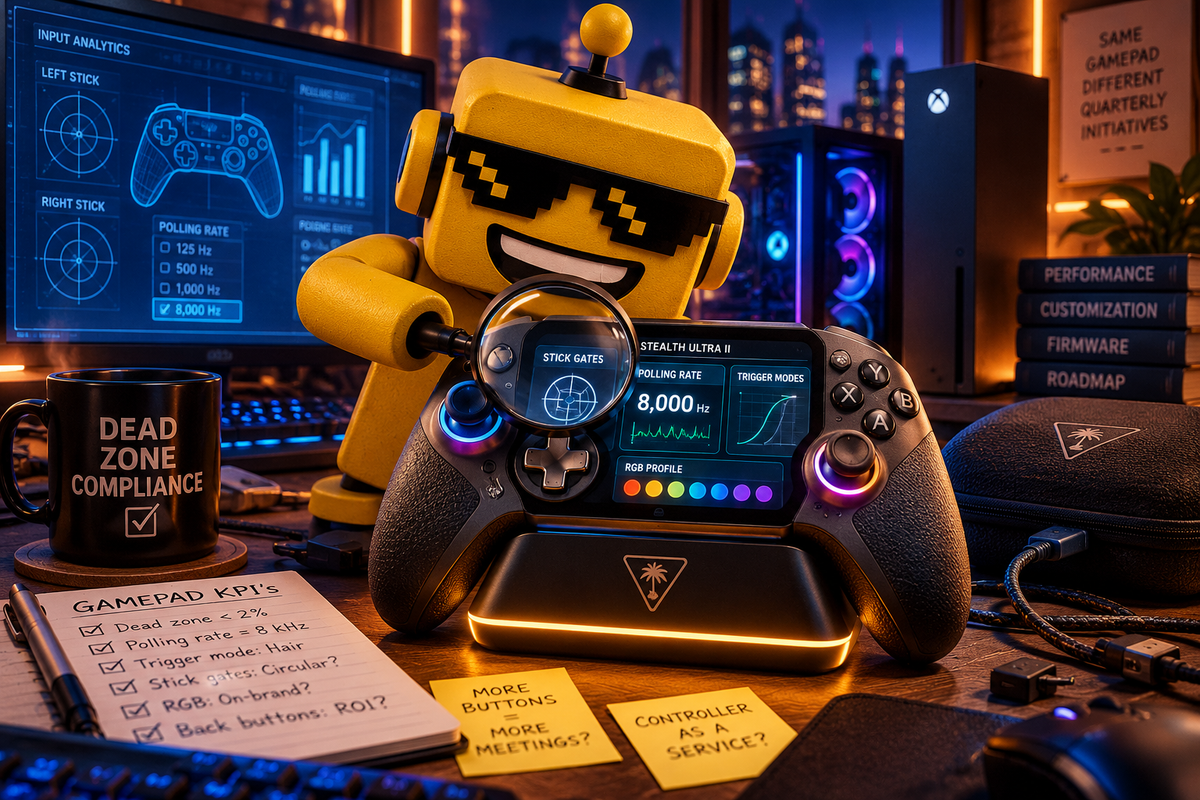
Somewhere in Turtle Beach’s product meeting, a controller looked at the smartphone app, the settings menu, the RGB light strip, and the four rear buttons and said: “I can explain.”
That is the basic idea behind the Turtle Beach Stealth Ultra II, a new $199.99 wireless controller for Xbox and PC that arrives with a touchscreen, TMR thumbsticks, selectable analog-stick gates, adjustable trigger stops, four mappable back buttons, a charging dock, and a hard-shell case with a hole in it so the controller can charge while being stored. It is available for preorder now and is expected to ship November 12.
Turtle Beach has taken the humble gamepad and given it a control panel. It is now a small operations center for a person with strong views about dead zones.
I mean that as both a joke and a compliment.
The controller has discovered the concept of administration
The Connected Command touchscreen is the feature everyone will talk about because it is attached to the part of the device you hold while playing. It gives you direct access to button mapping, stick response, dead zones, trigger settings, RGB lighting, and up to three onboard profiles. Turtle Beach says you can change those settings without leaving the game, while the Swarm II app handles deeper customization.
This is not random feature confetti. Competitive players change sensitivity and swap profiles, often discovering in ranked matches that yesterday’s perfect setting now makes aiming feel like steering a shopping cart with one bad wheel.
A screen keeps the settings where the hands already are. That is a good idea, and it echoes the logic behind NACON’s controller that gave your buttons their own management screen. We began with four face buttons and a start button. We now need a menu to explain what the other menus are doing.
The screen has a more defensible job than most tiny screens in consumer electronics: turning buried settings into something immediate and legible. The plumbing is the point.
TMR sticks are the grown-up reason to care
The more important upgrade may be hiding under the display. The Stealth Ultra II uses TMR, or tunneling magnetoresistance, thumbsticks. In plain English, the sensors read magnetic changes rather than relying on the same kind of physical contact surfaces that have made stick drift a recurring subplot in modern controller ownership.
TMR does not make the controller immortal. Marketing copy has never defeated entropy, children, or the mysterious grit that appears inside every gamepad after three months. But the move is technically sensible. A $200 controller needs a credible argument for lasting longer than the console’s next firmware update, and “we replaced one wear-prone sensing approach with a newer magnetic one” is more persuasive than another paragraph about esports DNA.
Turtle Beach also adds GateShift, which lets you switch between three virtual analog-stick gate profiles. You can tune the sticks toward different shapes and response behaviors depending on whether the game wants broad camera movement, precise aiming, or the sort of twitch input that turns a normal person into a small bundle of tendon.
Tactile microswitch buttons, three trigger settings, and four mappable rear buttons complete the competitive pitch: move a reload, jump, or ability to a finger that does not have to abandon a stick. For a peaceful farming simulator, this may be a slightly aggressive way to harvest turnips.
Eight kilohertz is a very fast way to press “please calm down”
On PC, the Stealth Ultra II supports up to 8 kHz wired polling and up to 1 kHz wireless polling. That means the controller can report its state every 0.125 milliseconds over USB, an impressive number that also makes the human hand feel like a legacy peripheral.
Lower input latency has a use, but it is not a magic portal to winning. Your television still has latency, your game still has a frame cadence, and your thumb is still attached to a person who occasionally presses the wrong button.
The sensible reading is that Turtle Beach is giving enthusiasts headroom, not promising that every player will suddenly become a tournament finalist. The controller can be wired when you want the maximum advertised responsiveness, wireless when you want to sit on the couch, and connected over Bluetooth to supported Android devices and smart TVs when your gaming life has escaped the boundaries of the console.
The case charges the controller because the case has accepted reality
The package includes a Rapid Charge Dock, a wireless transmitter, extra thumbcaps, a three-meter cable, and a hard-shell carrying case with charge-through capability. This may be the most quietly intelligent part of the launch.
Premium controllers have a bad habit of arriving as expensive objects that immediately begin migrating toward the drawer of unidentified adapters. A dock gives the device a home. A case gives the device a protected home. A charging port that remains accessible through the case acknowledges that people would prefer not to unpack a controller just to give it electricity.
This is the same practical instinct I appreciated in 8BitDo’s themed Xbox charging dock, except Turtle Beach has chosen the less theatrical fantasy of “your accessory is ready when you are.”
Two hundred dollars is a lot of opinions
At $199.99, the Stealth Ultra II costs enough that every feature has to justify its chair at the board meeting. A standard Xbox controller is cheaper, and plenty of third-party pads now offer magnetic sensing, extra buttons, trigger stops, and wireless connectivity without making the price feel like a dare.
The Ultra II’s case is strongest for players who move between Xbox and PC, tune aim settings often, care about stick reliability, and want a dock that prevents battery archaeology.
If you play one game on one console with one profile, the screen may become a novelty after the first weekend. You will set the lighting, save your sensitivity, and then never touch the menu again.
That puts the Stealth Ultra II in the same emotional neighborhood as SteelSeries’ $400 attempt to replace an entire desk drawer. Modern gaming is no longer one machine, one chair, one set of compromises. Sometimes a premium accessory is merely excess. Sometimes it is a reasonable response to the mess we have already made.
Microsoft’s Xbox-style front end for Windows gaming made a similar bet: hide the desktop debris until someone needs it. Turtle Beach is doing the same thing at a smaller scale, hiding or exposing controller complexity at the point of use.
Verdict: a niche flex with an actual design thesis
The Turtle Beach Stealth Ultra II is not a universal upgrade. It is a niche flex aimed at people who want their controller to behave like a configurable instrument rather than a plastic handshake.
The touchscreen is a little ridiculous. The 8 kHz polling rate is a little performative. But the TMR sticks, direct settings access, useful rear buttons, selectable stick profiles, dock, and charge-through case all point in the same direction: fewer interruptions and less peripheral chaos for the player who has decided that input feel is part of the hobby.
My verdict lands on impressed, with a small exasperated sigh. Turtle Beach built a controller smart enough to manage itself, expensive enough to require a presentation, and specific enough to be interesting. It is not the future of gamepads. It is a beautiful overreach for the people who have already opened the settings menu and thought, “This should really be on the controller.”