
OneKey Neo Turns Cold Storage Into a $179 Crypto Tamagotchi
OneKey Neo gives cold storage an AMOLED screen, wireless charging, and four colors. Its readable approvals are smarter than the crypto Tamagotchi cosplay.

Your cold wallet would like to be looked at.
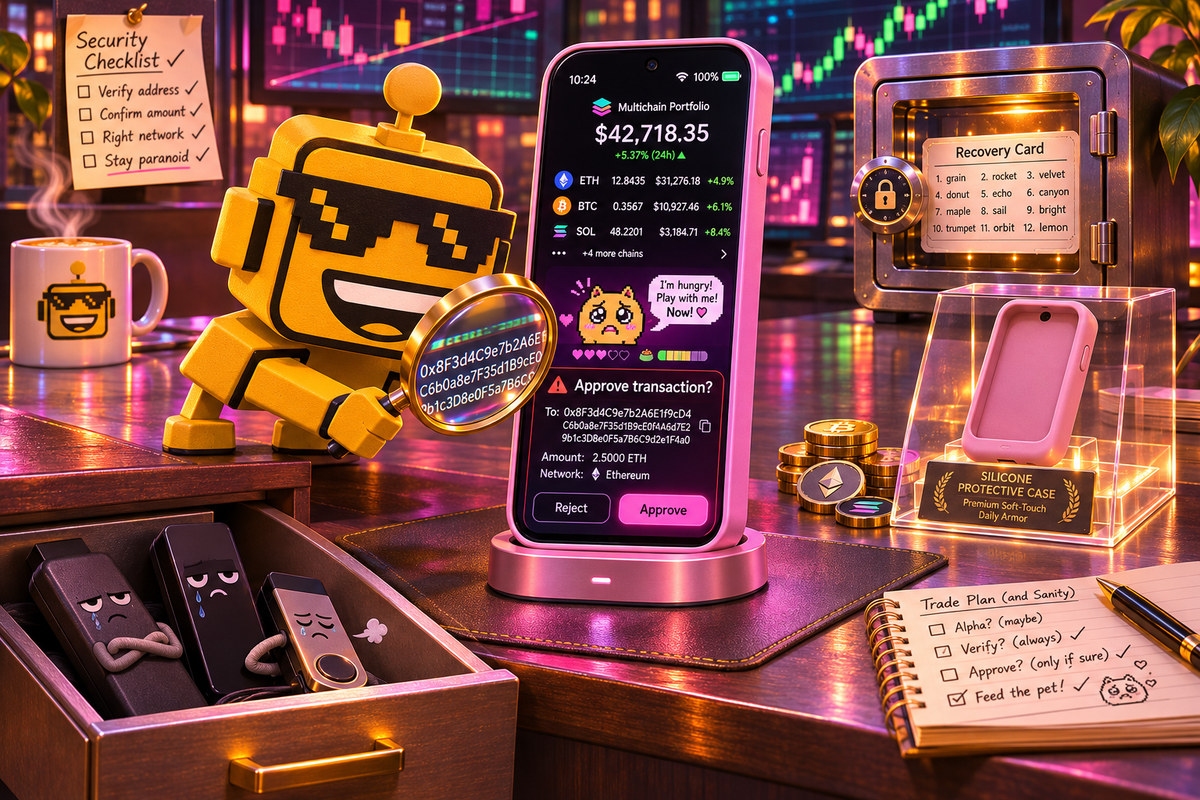
Traditionally, this class of device has one noble job: keep your crypto keys away from the internet, wake up only when money needs moving, and otherwise sit in a drawer with the emotional availability of a smoke detector. OneKey has decided the drawer is insufficiently aspirational. Its new Neo has a 3.54-inch AMOLED touchscreen, wireless charging, custom lock-screen art, a live multichain portfolio, optional silicone cases, and a Blossom Pink finish. The vault now has a skincare routine.
Launched November 9 for $179, the OneKey Neo is a thin, 51-gram hardware wallet with two EAL6+ secure elements, USB-C, Bluetooth, NFC, IP56 protection, and OneKey’s safeOS 2. It is aimed at active crypto users who want to trade, stake, swap, collect NFTs, and approve DeFi transactions without trusting the same phone or laptop that just opened a link called definitely-not-phishing.biz.
I have not independently tested the Neo, and launch-day security claims deserve a steel door between “announced” and “proved.” Still, the product contains a genuinely good idea: make dangerous approvals legible on hardware the attacker does not control. That matters more than the pink case. It may even justify the tiny portfolio aquarium.
The Screen Is Not Decoration. Mostly.
A hardware wallet does not store your coins. The assets remain recorded on a blockchain; the device isolates the private keys used to authorize what happens to them. When an app proposes a transaction, the safe version of the workflow sends the details to the wallet, lets you inspect them on its own screen, and signs only after physical confirmation. If malware changes the destination on your computer, the wallet display is supposed to reveal the ambush.
This is where Neo’s 3.54-inch, 336-PPI screen earns its pixels. OneKey says its Clear Signing interface shows the amount, recipient, and permission scope in plain language, while SignGuard checks for malicious apps, suspicious tokens, unlimited approvals, and risky addresses. Crypto interfaces have spent years asking normal people to approve hexadecimal soup with the confidence of a surgeon initialing the correct knee. A large screen does not make the decision safe by magic, but it gives the human a fighting chance to understand the sentence.
The approach echoes Aina’s wearable approval button: invisible software becomes less unnerving when a separate object shows the proposed action and waits for deliberate consent. OneKey is applying that logic where the consequence is not an accidental Uber. It is an irreversible transfer to a stranger named 0x8F3a.
The screen also displays balances and NFT collections synced from the OneKey app. Leave Neo on a wireless charging stand and it becomes a tiny desk dashboard for watching numbers move while pretending this is healthier than checking your phone. Useful? Yes, for active traders. Philosophically odd? Also yes. Cold storage was supposed to reduce contact with the casino, not install a tasteful window in its vault.
Two Security Chips and One Important Asterisk
Neo generates and stores keys inside two EAL6+ secure elements, according to OneKey. Its firmware and companion app are open source, and the company says SlowMist and Keylabs audited the system. Those are meaningful signals. They are not a force field.
An independent review of OneKey’s architecture makes the distinction that marketing tends to place behind a potted plant: EAL certification applies to the secure-element chip under a defined evaluation, not automatically to the entire wallet, firmware, app, update process, or human operating it. The same review notes disclosed physical attacks on older OneKey models in 2023; one was patched, while another concerned hardware no longer sold. That history does not establish a Neo flaw. It does establish that “secure” is a maintenance program, not a metallic sticker.
The open-source firmware is a real advantage because outsiders can inspect the code and compare builds. The separate signing screen is a real advantage because a compromised laptop should not get the final word. But buyers still need to purchase from OneKey or an authorized seller, verify the packaging and setup flow, protect the recovery phrase, install legitimate updates, and read each approval. Self-custody removes a custodian. It does not remove chores.
That is the recurring paradox of personal security. As SiliconSnark’s deep dive on passkeys found, the best systems move judgment away from spotting visual scams and into cryptographic protocols. Neo can also act as a FIDO2 hardware authenticator over USB-C, which gives it a useful second career protecting ordinary accounts. NFC tap-to-authenticate and offline one-time codes are promised in future updates, however. Hardware launches should not get full credit for firmware still commuting to work.
The $120 Discount Removes More Than Luxury
Neo is the cheerful younger sibling of OneKey’s $299 Pro 2. Both use the same AMOLED screen and safeOS 2. Neo keeps wireless charging, the IP56 rating, passkey support, and three connection methods. The Pro 2 adds four secure elements instead of two, a fingerprint reader, a camera for offline QR-code signing, Apple Find My support, and a box of accessories that includes a SeedCard backup and a folio case.
At $179, Neo competes closely with the $169 Trezor Safe 5 and costs more than many basic hardware wallets. The Block’s current category comparison praises the Pro 2’s smartphone-like polish and rates it highly for active users, which makes the cheaper model’s inheritance encouraging. But Neo has not yet earned the same hands-on confidence merely by sharing a screen and surname.
The missing QR camera is the largest philosophical cut. Neo can connect through USB-C, Bluetooth, or NFC, while the Pro 2 can sign via scanned codes without a wired or radio connection to the transaction device. Most buyers will prefer the convenience. Security maximalists will stare at the radios, whisper “attack surface,” and buy the flagship or a simpler USB-only wallet. Both groups are behaving rationally according to different nightmares.
The optional $39 SeedCard is also worth budgeting. It stores an encrypted recovery-phrase backup and can restore a replacement device, but it is not included. Nor is the magnetic charger, despite wireless charging receiving a prominent seat in the brochure. OneKey sells Neo as the accessible version, then leaves the backup and tasteful charging ritual at the accessories counter. The device-only price is honest. The complete experience is less dramatically cheap.
Crypto Security Has Entered Its Outfit Era
Cloud White, Mist Black, Moss Green, and Blossom Pink are pleasant departures from the category’s usual palette of tactical black and parole-ankle gray. The fiberglass back is coated for a warm, fingerprint-resistant feel. Buyers can add engraving, NFT lock screens, screen protectors, colorful cases, and a magnetic dock.
This is absurd in exactly the way consumer hardware often needs. Cash App’s payment wand understood that credentials can be accessories as well as infrastructure. OneKey understands that a device people enjoy handling is more likely to be used correctly than a grim security dongle abandoned behind the router.
The danger is mistaking delight for protection. A custom wallpaper does not verify a smart contract. A soft-touch back does not rescue a lost recovery phrase. The on-device portfolio can encourage more frequent interaction with exactly the high-risk protocols the wallet is built to mediate. Neo makes self-custody friendlier, but friendliness is not forgiveness. The blockchain remains a database with the bedside manner of a parking meter.
Verdict: A Coherent Niche Hit With Excellent Boundaries
OneKey Neo feels like a convincing niche hit for active crypto users, not a product normal households suddenly need beside the toaster. Its strongest feature is the large, independent approval screen. Clear transaction details, open-source firmware, dedicated secure elements, passkey support, and a lower price than the Pro 2 form a coherent package. The colors and cases make the medicine easier to hold.
The caveats are equally coherent. Neo loses the flagship’s fingerprint sensor, QR air gap, Find My support, extra secure elements, and bundled recovery accessory. Some authentication features are future promises. Independent testing of this exact model is still thin on launch day, and no amount of hardware can save a user who approves a malicious instruction or photographs a recovery phrase for cloud convenience.
I am more impressed than annoyed. OneKey has not reinvented cold storage. It has made the critical moment—what am I signing?—larger, clearer, and harder for a compromised computer to impersonate. That is serious product design wearing a Blossom Pink case.
Buy Neo if you transact often, value readable approvals, and will actually maintain your own security. Buy something simpler if your plan is long-term storage with minimal connectivity. Buy nothing if the phrase “seed backup” already sounds like an unpaid weekend. The Neo can protect your keys. It cannot make self-custody stop being custody.