Computer-Use Agents, Explained: Why OpenAI, Anthropic, and Perplexity Want to Operate Your Laptop
Computer-use agents are learning to click, scroll, and file your digital life. This guide explains the tech, incentives, risks, and why it matters now.

In March, OpenAI introduced GPT-5.4 and made a point of saying the quiet part loudly: this was its first general-purpose model with native computer-use capabilities, and on OSWorld-Verified it posted a 75.0% success rate, above the listed human baseline of 72.4%. That is the kind of benchmark claim designed to make both investors and ordinary office workers sit upright in the same uncomfortable posture. A week later, Perplexity said its Computer product was fully available to Pro subscribers and unveiled “Personal Computer,” a dedicated Mac mini setup meant to keep doing work in the background like an overachieving intern who never asks where the snacks are. Anthropic, meanwhile, had already spent months turning “Claude can help” into “Claude can click,” and by March 24 its latest Economic Index report was tracking how real users were increasingly pushing Claude into practical knowledge work rather than just asking it to summarize PDFs with the enthusiasm of a junior consultant on cold brew.
That is the why-now. We are no longer dealing only with chatbots that draft text, summarize documents, or politely hallucinate an answer with good posture. We are now dealing with systems whose core pitch is that they can use software the way you do: by seeing a screen, deciding where to click, typing into fields, handling multistep workflows, and asking for help only when the stakes become legally, financially, or emotionally combustible. This is not just a new feature category. It is a claim about the future shape of computing.
The optimistic version is obvious. If a capable agent can fill out expense reports, move data between badly designed enterprise tools, compare ten tabs of airline nonsense, or wrangle the sort of legacy software that appears to have been designed by a committee of resentful filing cabinets, then maybe computers finally start serving people instead of disciplining them. The cynical version is also obvious. If an AI platform becomes the layer that operates software on your behalf, it also becomes the layer that sees your intent, brokers your decisions, and quietly negotiates with every other platform from a position of algorithmic privilege. In tech, convenience and capture are usually roommates.
This guide is about the larger category: what computer-use agents are, what changed technically, why the economics suddenly look real, how the competition is forming, where the risks remain painfully unsolved, and why the whole thing matters far beyond a few flashy demos. SiliconSnark has been circling this territory through our coverage of Claude using your computer, Perplexity Computer, AI browsers, and AI shopping agents. Computer-use systems are where those threads stop flirting and move in together.
The Short Version: The Chatbot Grew Hands
The cleanest way to understand computer-use agents is to stop thinking of them as smarter chatbots and start thinking of them as automation systems with a language model welded to the front. The old chatbot interaction was basically a high-functioning conversation: you ask, it replies, maybe it calls a tool, maybe it fetches a file, maybe it feels very pleased with itself. The new interaction is operational. You ask, it plans, it inspects the interface in front of it, it decides what button matters, it clicks, it checks what changed, it clicks again, and only then does it return with something more meaningful than a paragraph and a prayer.
That sounds like a small distinction until you think about where software value actually lives. Plenty of work is not intellectually profound; it is merely trapped inside annoying interfaces. Expense systems. CRM updates. Insurance forms. Travel booking flows. Procurement portals. Internal dashboards that somehow require six tabs and a login ritual resembling medieval penance. These are not tasks that need infinite machine wisdom. They need patience, context, persistence, and enough visual comprehension to survive software made by people who believe every dropdown deserves three more nested states.
Once a model can operate at that level, the market changes. Suddenly AI is not just an answer layer. It is an execution layer. It can act across software that was never designed for APIs, never standardized cleanly, or never given the courtesy of coherent documentation. That is a massive commercial surface. It means computer-use agents are competing not only with other AI products, but with old-school robotic process automation, enterprise integration vendors, browser extensions, workflow tools, outsourced operations teams, and the ancient corporate strategy of “just make Sharon from finance do it because she knows the portal.”
This is also why the category feels simultaneously magical and brittle. Watching an agent click through a real interface creates the intoxicating impression that the machine finally inhabits our digital world. Watching it misread a modal, click the wrong thing, or get hypnotized by a cookie banner immediately reminds you that this digital world is an unholy carnival of edge cases. Both sensations are accurate. The category is real. The category is immature. The category is still important.
Before Agents, There Was the Long, Boring History of Making Computers Click Themselves
Tech companies enjoy presenting each new interface shift as though civilization previously consisted of striking stones together and emailing JPEGs of spreadsheets. In reality, computer-use agents inherit a long lineage of automation ambitions. Macros automated repetitive steps inside applications. Scripting tools automated work across applications. Enterprise IT departments spent years building brittle workflow glue for exactly the same reason everyone is suddenly rediscovering now: humans waste astonishing amounts of time translating intent into clicks.
If you want the adult, uncinematic ancestor of this current moment, look at robotic process automation. Microsoft’s own automation materials describe Power Automate as a way to automate across desktop apps, websites, and systems using digital and robotic process automation. That ecosystem existed because businesses were full of workflows too repetitive for human dignity and too messy for clean API integration. A bot could be taught to open a system, look for a field, enter values, save a record, and continue until the heat death of morale.
The limitation was always brittleness. Traditional RPA works beautifully when the workflow is stable, deterministic, and well mapped. Move one button. Rename one field. Change one screen resolution. Insert one fresh little pop-up written by a growth team that believes every user journey needs “delight.” Suddenly the bot behaves like a Roomba discovering a staircase. Humans can adapt because we understand context. Classical automation struggles because it usually does not.
Computer-use agents matter because they promise to bring judgment, flexible reasoning, and natural-language instruction to that old automation problem. They are not replacing the desire to automate boring work. They are replacing the assumption that automation only works when every step is painstakingly pre-scripted. The dream is no longer “record this workflow exactly.” The dream is “understand the goal and survive the mess.” That is a much larger claim. It is also the one that makes VCs reach for the smelling salts and enterprise buyers reach for procurement forms with very serious faces.
What Changed Technically: Vision, Reasoning, and Cheap Enough Iteration
The technical shift is not mysterious, though companies would prefer you picture a glowing orb of destiny. Computer-use agents became plausible because several capabilities matured at the same time. Models got better at interpreting images. Reasoning improved enough to break tasks into sequences rather than thrash around randomly like caffeinated pigeons in a glass atrium. Tool use became more reliable. Context windows got larger. And the engineering around iterative action loops became practical enough that developers could repeatedly feed the model screenshots, receive actions, execute them, and keep going.
OpenAI’s January 23, 2025 Computer-Using Agent release laid out the basic loop clearly: perception through screenshots, reasoning over current and past state, then action through mouse and keyboard until the task is done or the user needs to step in. Anthropic’s October 22, 2024 computer use research post described a similar breakthrough from the other side: train the model to interpret what is on a screen, count pixels accurately enough to move a cursor to the right place, and generalize from a relatively small amount of supervised computer interaction. Once you have that, you stop needing every software surface to expose a neat developer-facing handle. You can just use the software like a person does.
OpenAI then pushed the capability deeper into its platform. On March 11, 2025, its new tools for building agents announcement folded computer use into the Responses API alongside web search, file search, tracing, and an Agents SDK. That matters because it turns “watch our demo” into “developers can wire this into products.” By March 5, 2026, GPT-5.4 was positioned not as a weird specialist but as a general-purpose frontier model with native computer-use support and 1 million tokens of context. The signal there is not subtle. The big labs no longer view computer use as a side quest. They view it as table stakes for agentic software.
In other words, the model stopped being only a talker. It became a planner attached to a cursor. That is the core unlock.
Why Benchmarks Suddenly Matter More Than Demo Theater
Computer-use agents produce excellent demos because clicking through a live interface is inherently dramatic. You can see the software acting. It feels embodied in a way plain text never does. The problem is that demos are propaganda with better lighting. A benchmark at least tries to answer the less glamorous question: how often does this thing actually work across a wide range of tasks?
That is why OSWorld has become such a useful piece of shorthand. OpenAI describes it as a benchmark for controlling full operating systems such as Ubuntu, Windows, and macOS through screenshots and mouse-keyboard actions. In January 2025, OpenAI’s CUA posted 38.1% there, which was interesting precisely because it was nowhere near human performance. In March 2026, GPT-5.4’s 75.0% on OSWorld-Verified became more jarring because it crossed the threshold from “promising lab curiosity” into “okay, this is starting to beat us at the office sludge portion of existence.”
But benchmarks here require more skepticism than triumphalism. They do not mean the agent is generally trustworthy. They mean the agent can solve a curated set of tasks in a controlled framework at a given success rate. The difference between “can often do this benchmark” and “can safely run your company’s finance operations” is the difference between a competent driving-school student and somebody you want piloting an ambulance through Boston.
Even OpenAI’s own Operator system card made the caveat explicit when it warned that CUA’s OSWorld performance at launch did not mean it was “highly reliable” for operating-system automation and recommended human oversight, especially outside browsers. Anthropic says basically the same thing in a different accent. Benchmarks matter because they give you a direction of travel. They do not give you permission to abdicate judgment.
How Computer-Use Agents Actually Work, Minus the Mystical Fog Machine
At a practical level, most computer-use agents are running a loop that would be very understandable to anyone who has ever watched a distracted human try to finish admin work. First, the system sees what is on screen. That can mean a screenshot or a sequence of screenshots. Then it interprets what it sees, maps that against the user’s goal, decides on the next action, executes it, and checks the result. Rinse. Repeat. Occasionally apologize.
Anthropic’s computer use documentation is refreshingly literal about the capabilities: screenshot capture, mouse control, keyboard input, and desktop automation across applications and interfaces. It is also refreshingly literal about the hazards. The docs recommend dedicated virtual machines or containers, minimal privileges, domain allowlists, and human confirmation for meaningful real-world consequences like accepting terms or executing financial transactions. This is not because the engineers are killjoys. It is because giving an LLM a virtual index finger turns every messy internet surface into a potential attack surface.
The thing to remember is that GUI control is a universal interface, not a magical one. It is powerful because it works almost anywhere. If software is visible, the agent can at least attempt to operate it. That frees developers from waiting for formal integrations or begging some vendor to expose a proper endpoint before anything useful can happen. It also means the agent has to survive all the stupidities humans have already learned to tolerate: weird layouts, ambiguous buttons, pop-ups, stale sessions, inconsistent keyboard focus, loading spinners, CAPTCHA walls, and forms that punish the slightest misunderstanding like a bureaucratic deity demanding tribute.
The model, in other words, is not teleporting into software. It is doing office work through the keyhole. That is why the category is both so expansive and so annoying.
The Real Technical Problem Is Not Clicking. It Is Recovery.
Everybody understands the surface trick: the agent can click a button. The harder part is what happens after the world refuses to cooperate. Recovery is the difference between an impressive toy and a usable worker. Can the system notice that a dialog changed? Can it tell whether a field failed validation? Can it infer that the website logged out? Can it decide that the safest move is to ask a human rather than pressing ahead like a mediocre executive with an offsite budget?
Anthropic’s docs say the quiet part plainly: the feature is still in beta, latency can be too slow for many human-in-the-loop interactions, and computer vision accuracy can break down when the model needs to identify precise coordinates. The company also warns that prompt injection remains a live risk, including instructions embedded in webpages or images that can conflict with user intent. In other words, the system can mistake malicious or irrelevant screen content for something authoritative. That is not a footnote. That is the central headache of putting agents inside the open web.
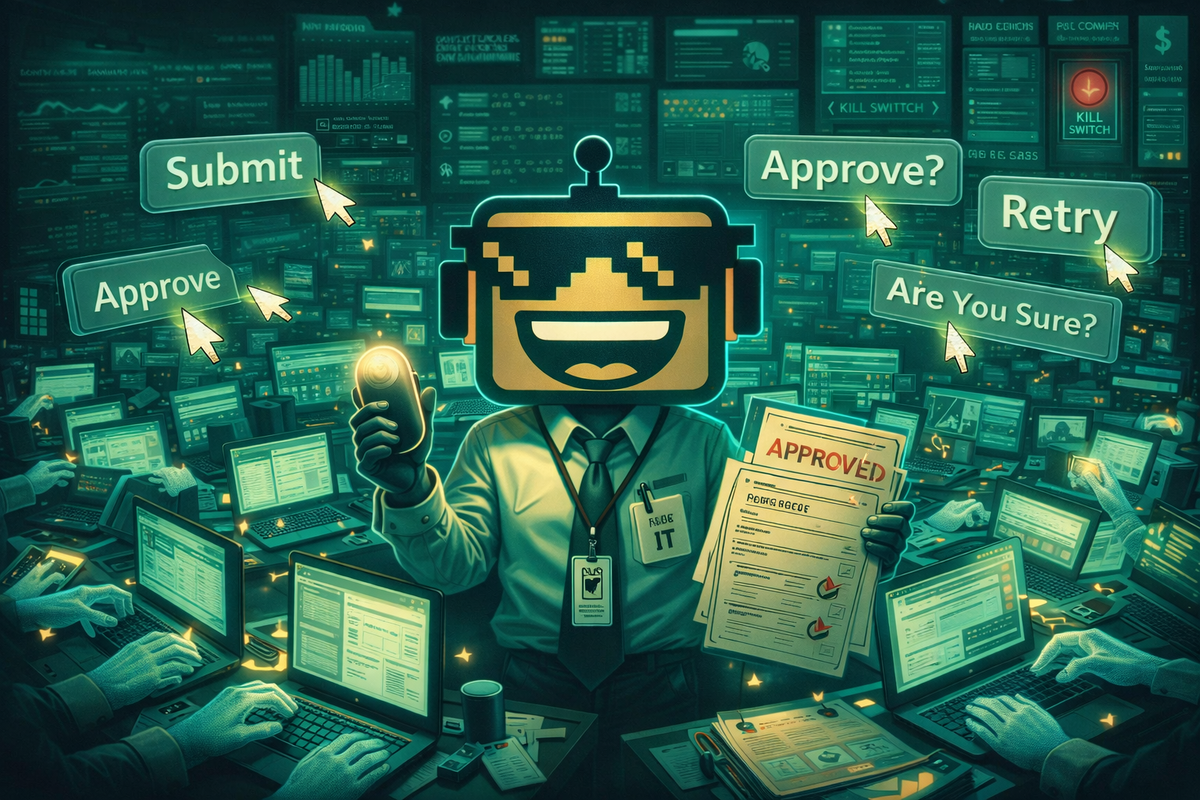
OpenAI’s early materials describe a similar boundary. The model can handle many steps automatically, but it is supposed to seek user confirmation for sensitive actions such as entering login details or handling CAPTCHAs. Perplexity’s “Personal Computer” pitch includes explicit approval for sensitive actions, an audit trail, and a kill switch, because even the companies trying hardest to sell this future understand a core truth: the system can appear autonomous only up to the point where lawyers begin sharpening pencils.
So when someone says computer-use agents are “human-level,” the first response should be: at what? Clicking? Surviving hostile interfaces? Recovering from ambiguity? Knowing when not to act? Software labor is not one skill. It is a stack of microjudgments. Computer-use agents are getting much better at the top half of that stack. The bottom half is still where the comedy lives.
Why This Category Exists: The World Is Full of Software That Nobody Wants to Integrate Properly
APIs are wonderful in theory. In practice, the world runs on a depressing amount of semi-structured nonsense. Large companies buy tools that barely talk to each other. Governments use portals whose UX feels preserved from an era when “web standards” meant a man named Greg doing his best. Small businesses live inside a collage of vendor dashboards, spreadsheets, shared drives, and email threads that nobody in their right mind would call a coherent system. In that environment, an agent that can simply use the interface is not a compromise. It is often the only realistic path.
This is why computer use complements, rather than replaces, traditional tool calling. If a system exposes a high-quality API, using it directly is usually safer, faster, and more reliable than pretending to be a person. If no such API exists, or if the workflow spans multiple products and a human would ordinarily glue them together by sight, judgment, and stubbornness, GUI control becomes attractive. It is the universal adapter for the long tail of digital work.
That long tail is enormous. SiliconSnark’s earlier guide to AI coding agents focused on software creation. Coding is an obvious fit because the environment is structured and the outputs are easy to verify with tests, builds, and diffs. Computer-use agents broaden the field into everything else: the swampier categories of administrative, research, support, procurement, and operations work where success often means navigating interfaces rather than generating novel content. That is less glamorous than “robot engineer.” It is also where a shocking amount of labor budget goes to die.
The market is big because software itself is bad at being software. That sentence deserves to be framed in a San Francisco coworking space and ignored immediately.
The Consumer Pitch: Let the Machine Handle the Boring Tabs
For ordinary users, the appeal is not some abstract dream of agentic civilization. It is relief from digital chores. People do not want “multimodal orchestration.” They want somebody else to compare flights, reschedule a dentist appointment, rename fifty files, fill out expense forms, book a decent hotel without choosing one that appears to have been cursed, or gather quotes from insurance sites designed by enemies of joy.
That is where the category starts to overlap with broader consumer AI. Our earlier deep dive on the AI assistant reboot was really about a shift from question-answering toward ambient delegation. Computer-use agents are the hands for that brain. Likewise, our guide to AI’s GPTs and friends covered the model layer. But the average consumer does not buy a model; they buy outcomes. The agentic desktop is one of the cleanest ways to translate model progress into outcomes people can see.
The catch is that consumers forgive errors differently depending on the domain. If the agent organizes a folder badly, the user rolls their eyes. If it books the wrong flight, accepts the wrong refund policy, or purchases the 18-pack industrial vinegar by misunderstanding “cleaning supplies,” trust vanishes with almost religious intensity. That means the near-term consumer sweet spot is bounded delegation: research, setup, comparison, repetitive maintenance, and human-approved execution. The “full autonomous digital butler” fantasy will sell subscription tiers long before it earns broad trust.
Which is fine. Even partial delegation is powerful. If the machine reliably removes half the stupid clicks from your life, users will not demand perfection. They will demand that it keeps not buying the wrong lamp.
The Enterprise Pitch: RPA With Better Judgment and Much Worse Marketing
In the enterprise, computer-use agents solve a different problem. The buyer is not seeking vibes or convenience. The buyer is seeking labor arbitrage, throughput, resilience, and leverage over ugly processes nobody has had the political capital to fix properly. This is why the category resonates so strongly in operations, support, finance, compliance, and back-office functions. It is not because those teams crave futurism. It is because they know exactly how much valuable human time disappears into mind-numbing interface labor.
That is also why the category is colliding with the old automation stack. Enterprises already have BPM suites, integration layers, workflow products, RPA vendors, and a small religion devoted to standard operating procedures. What they did not have was a system that could absorb fuzzy instructions, operate across applications, recover from moderate variance, and explain what it just did in ordinary language. If computer-use agents get reliable enough, they turn many automation projects from brittle bespoke engineering exercises into something closer to supervision and governance.
The business case gets sharper once you combine direct GUI control with other tools. Search the web. Read internal docs. Inspect spreadsheets. Use a CRM. Draft an email. Update the ticket. That stack starts to look less like a chatbot and more like a junior operations worker who never complains about the office thermostat. Unsurprisingly, the vendor messaging around this is already heading toward “AI coworker,” a phrase that sounds friendlier than “software that may quietly absorb the repetitive middle of white-collar labor.” Same movie, softer trailer.
And yes, the labor implications matter. Anthropic’s March 24 data point that 55% of paid Claude.ai usage in Computer and Mathematical tasks went to Opus is not itself a computer-use statistic, but it does signal where serious users are spending capability budget: high-value technical work. The enterprise is not merely dabbling. It is shopping.
The Competition Map: OpenAI, Anthropic, Perplexity, and the Open-Source Chaos Brigade
The competitive landscape is already taking shape, and it is not just “which model is smartest.” OpenAI is pushing the broadest platform story: frontier models, built-in tools, developer APIs, ChatGPT surfaces, and a deliberate effort to make computer use part of a general agent stack. Anthropic’s story is more explicit about safety and enterprise controls, but functionally it is chasing the same destination: Claude as a capable reasoning engine that can connect to the world and act inside it. Perplexity is differentiating by turning execution into a consumer-facing research-and-action experience, then extending that into a persistent background machine. The browser players are coming at the same problem from the interface side, which is why our coverage of AI browser wars matters here even though the wrapper is different.
Then there is the open-source and semi-open world, which is where things get both exciting and cursed. SiliconSnark has already covered the OpenClaw clone wars and the moment OpenAI brought the OpenClaw founder in-house. That ecosystem matters because it turns frontier-lab capability into a broader product pattern: phone-to-desktop control, desktop copilots, local runners, sidecar agents, browser automation hybrids, and a thousand GitHub repos that all promise to make your machine “truly autonomous” right up until they click on the wrong spreadsheet and spend twenty minutes trying to rename a PNG.
The point is not that one vendor wins and everyone else goes home. The point is that computer use is becoming a strategic layer. Whoever controls the agent layer gets privileged access to user intent, workflow design, and the data exhaust of action. That is a very lucrative perch. Expect the competition to become weird, fast, and extremely earnest in the way only Silicon Valley can manage when it senses a new tollbooth.
Shopping, Browsing, Research, Support: Computer Use Is the Hidden Substrate of Other Agent Categories
A lot of AI product categories now look distinct only because marketing departments need separate launch decks. In practice, they are converging on the same operational layer. Shopping agents need to inspect product pages, compare listings, and eventually transact. Browser agents need to navigate websites and manipulate sessions. Research agents need to collect, organize, and export information across tools. Support agents need to look things up in internal systems and perform follow-up actions, not merely write apologetic prose with suspiciously confident bullet points.
That is why our earlier deep dive on AI shopping agents is really adjacent to this story rather than separate from it. If the software is supposed to compare, remember, decide, and checkout, then at some point it needs either direct integrations or the ability to operate an interface. Likewise, the shift described in our piece on Perplexity Computer was less about a single product launch than about the industry moving from “answers” to “actions.” Once you see that, the taxonomy gets simpler. Many so-called agents are just domain-specific veneers over the same deeper bet: AI should be able to use software.
Even domains that appear far away start to rhyme. In health, for example, our guide to Health AI dealt with decision support, wearables, and patient-facing assistance. But the operational headache of healthcare is soaked in software friction: portals, prior auth, billing, scheduling, records systems, and logistics. The future healthcare agent is not just one that answers questions about symptoms. It is one that knows how to survive the interface stack that made you call three numbers and fax something in the first place. That is when the category becomes economically serious.
Security Is the Category’s Permanent Mood Disorder
Every important computer-use demo contains, hidden somewhere just off-camera, a security person breathing into a paper bag. They have earned that right. Once an agent can browse the web, read a screen, and take actions on behalf of a user, you inherit a parade of familiar threats in upgraded form: phishing, data leakage, prompt injection, privilege misuse, fraudulent actions, social engineering, and accidental disclosure caused by the machine helpfully doing exactly the wrong thing very quickly.
Anthropic’s guidance is the most blunt on this front, warning that instructions on webpages or inside images may override or distort the model’s intended behavior, and that users should isolate the system from sensitive data and real-world consequences whenever possible. OpenAI’s system card takes a similar stance and explicitly points to human oversight for risky scenarios. This is why the boring design features suddenly matter so much: approval gates, scope limits, domain allowlists, least privilege, audit logs, pause states, reversibility, secure sandboxes, and better visibility into what the agent thinks it is doing.
In other words, the path to useful autonomy runs through a lot of controlled dependence. The agent cannot simply be “free.” It has to be boxed, monitored, and made legible. That may sound anticlimactic compared with the techno-fantasy of a fully independent digital employee. It is also how real systems get deployed. Nobody sensible gives a probabilistic model root access and a company card because the keynote music swelled at the right moment.
The companies that treat governance as product, rather than as a compliance appendix, will have the advantage here. Not because governance is sexy. Because governance is what lets the sexy part survive contact with procurement, security review, and the first bad headline.
Privacy Is Not a Side Note When the Machine Is Literally Looking at Your Screen
Screen-centric agents create a different privacy profile from ordinary chatbots. With a normal prompt, you more or less choose what to disclose. With computer use, the system may see whatever is visible on the screen at the time: names, messages, tabs, documents, account details, financial data, medical context, private conversations, and the particular combination of unread notifications that reveals more about a person than many formal dossiers.
Anthropic’s privacy guidance states directly that computer use processes and collects screenshots from the display, alongside user inputs and outputs, and that by default those screenshots are automatically deleted from Anthropic’s backend within 30 days unless different terms apply. The same document says commercial inputs and outputs are not used for training by default unless users opt in or explicitly report material. That is useful information. It is not the same as “privacy solved.” It simply means vendors now need to explain data handling with more precision than the average AI landing page’s usual ritual of hand-waving toward “enterprise-grade trust.”
This is also why deployment context matters so much. A consumer using an agent on a personal machine, an enterprise using it in a locked-down virtual environment, and a developer wiring it into a test harness are dealing with different privacy exposures even if the underlying model is similar. The right question is not “is the model private?” The right question is “what can it see, what gets stored, who has access, and what happens when something sensitive flashes by during the task?”
Any company that wants to normalize screen-reading agents will need a much better social contract around those answers. “Trust us” stopped being sufficient sometime around the six-thousandth breach and the first few dozen occasions when software quietly exfiltrated more context than anyone intended. A healthy level of paranoia remains good digital hygiene, even if marketing teams insist on calling it friction.
Hype Versus Reality: No, Your Laptop Is Not Becoming a Sentient Chief of Staff Next Quarter
The easiest mistake in this category is to confuse visible action with general competence. Because the agent can click around convincingly, people start smuggling in assumptions about broader reliability, judgment, and autonomy. That is how you end up with the recurring AI-industry disease where somebody sees one well-edited demo and begins speaking as if accountants will soon be ornamental.
The reality is more uneven. Computer-use agents are already useful for bounded, repetitive, moderately forgiving tasks. They are especially good when the workflow is legible, the stakes are manageable, and some combination of verification, oversight, or rollback exists. They get shakier when the task is open-ended, high-risk, adversarial, or socially loaded. They get shakier still when success depends on reading subtext, noticing the one weird anomaly in a sea of normalcy, or resisting instructions embedded in the environment itself.
That does not make the category fake. It makes the category normal. Most transformative technologies arrive first as a set of highly specific wins surrounded by absurd overgeneralization. Personal computers did not replace all office labor on day one. The web did not instantly become an orderly library instead of a giant strip mall with delusions of grandeur. Smartphones did not start as universal remote controls for life; they started as increasingly indispensable rectangles that also made people walk into fountains. Computer-use agents will follow the same curve: first narrow but real usefulness, then broader integration, then cultural overreach, then eventually boring ubiquity.
If that sounds less cinematic than “AI coworker revolution,” good. A technology becoming boring is usually how you know it is actually winning.
The Cultural Meaning: Software Is Starting to Have Two Users
The deepest implication of computer-use agents is not a benchmark score. It is that software no longer needs to be designed only for direct human operation. For decades, the primary user of most software was the person sitting in front of it, muddling through. Increasingly, there is a second user: the agent acting on behalf of that person. That shift sounds subtle. It is not.
Once software has two users, product design changes. Interfaces may need to become more machine legible. Confirmation flows become more important. Audit trails become more valuable. APIs remain relevant, but interface consistency starts mattering in new ways because the agent is effectively a visual operator. The “user experience” stops being just human ergonomics and becomes partly about whether a machine can navigate the same space without turning a workflow into slapstick.
This also changes power. If a consumer’s first move is no longer “open website, click around” but “tell my agent what I want,” then the agent layer becomes the arbiter of visibility, prioritization, and execution. That is why the battle around assistants, browsers, shopping tools, and operating-system control is really one fight viewed through different windows. Whoever owns the delegated interface owns a lot of the future demand surface.
And culturally, it changes how work feels. The user becomes less operator and more supervisor. Less typist, more editor. Less navigator, more approver. Some people will love that because computers are tedious. Some people will hate it because pushing the button yourself is still how you know what happened. Both reactions are sensible. We are renegotiating agency at the exact moment the industry has decided that “agency” is also a product category, which is frankly a little too on the nose even for Silicon Valley.
What Will Probably Work Soon, and What Will Keep Failing in Public
The near-term winners are not mysterious. Expect strong adoption in software testing, repetitive browser workflows, enterprise operations with clean approvals, data entry and reconciliation, research prep, form-heavy internal processes, procurement support, travel planning, file wrangling, spreadsheet manipulation, and customer-support side tasks where the human stays in the loop. These are domains where speed matters less than consistency, and where a good audit trail can compensate for some model weirdness.
Expect slower progress in anything adversarial or socially complex: unrestricted financial activity, high-stakes medical decisions, autonomous account creation and posting across public platforms, legal workflows without supervision, security-sensitive operations on broad system privileges, and consumer tasks where a single wrong action is wildly more memorable than ten correct ones. The machine can often do the clicks. It is the consequences that remain stubbornly human.
There will also be category-specific surprises. Gaming and interactive media may find weird uses first, which is part of why SiliconSnark’s recent piece on Fortnite’s AI NPC tooling matters to the broader agent conversation. Once you normalize software entities that can perceive, respond, and act within interfaces, the leap from “NPC with conversational logic” to “digital operator with bounded agency” is smaller than it looks. The connective tissue is the same: models are leaving the purely textual box and entering environments.
So yes, plenty of demos will still fail in public. Some will fail for hilarious reasons. Some will fail for expensive reasons. But the use cases where the workflow is repetitive enough, the environment controlled enough, and the verification clear enough will continue compounding quietly. Those are the use cases that matter. Revolutions are often just enough boring wins stacked high enough that the old way starts looking silly.
The Sharp Takeaway
Computer-use agents matter because they move AI one layer closer to the real center of digital life: not the answer, but the action. A model that can explain software is useful. A model that can operate software begins to compete for something bigger: the right to mediate work itself. That is why OpenAI is folding computer use into a broader agent platform, why Anthropic is pairing capability with unusually explicit guardrails, why Perplexity is trying to turn research into an always-on digital proxy, and why every adjacent category now seems to want a cursor with opinions.
The cynical version of this story is that big AI companies are building a more charismatic interface for absorbing the middle of your digital life. The fair version is that modern software genuinely wastes human time at scale, and systems that can absorb those clicks may improve life and business in tangible ways. As usual, both versions can be true. In fact, that tension is probably the category’s defining feature.
So here is the real conclusion. Computer-use agents are not a gimmick, and they are not yet a safe substitute for judgment. They are a rapidly improving execution layer for the ugly, repetitive, interface-bound work that makes up a huge share of both consumer frustration and enterprise cost. The companies that win will not just have the smartest models. They will have the best supervision model, the cleanest governance, the strongest trust story, and the most convincing answer to a simple question: when the machine clicks the wrong thing, who deals with the mess?
Until then, welcome to the new phase of computing. The chatbot has acquired motor skills. Your laptop is no longer only a tool you use. It is becoming a workplace your software enters. That future will be genuinely helpful, occasionally unnerving, commercially ruthless, and absolutely saturated with demos in which a cursor glides across the screen like destiny itself. Destiny, unfortunately, still gets confused by cookie banners.